Search Box
Add a full-text search function to your menu bar by installing another plug-in.
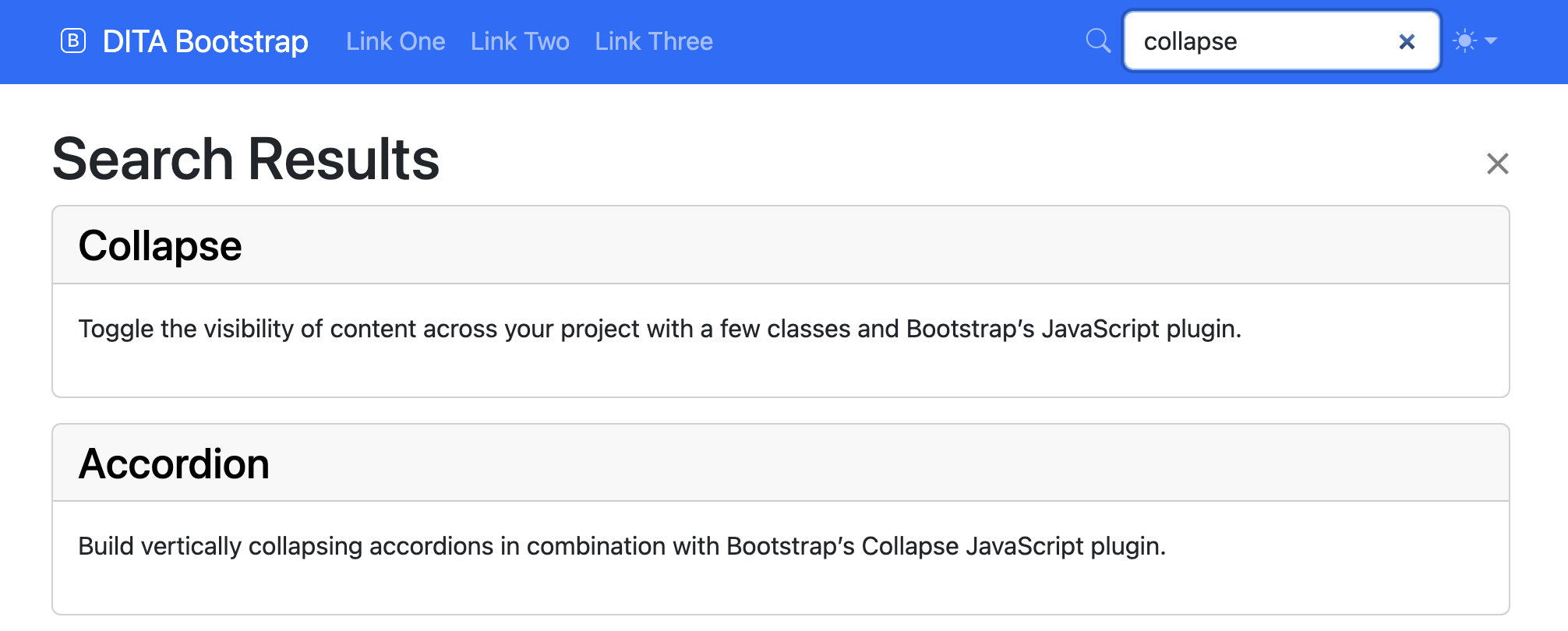
Adding a search function
Search boxes are not included by default. You must first install another plug-in which indexes the full DITA text. Since multiple search engines exist, search is always initialised by a separate dependent DITA-OT plug-in.
The DITA Bootstrap Lunr Search is a DITA-OT plug-in which has been created using the Lunr.js library. It may be used directly or as a template for extending search to other search engines.
Installing the DITA Bootstrap Lunr Search plug-in
Use the dita command to add the DITA Bootstrap Lunr Search plug-in to your DITA Open Toolkit installation:
dita install org.dita-bootstrap.lunrInstalling Node.js
The DITA Bootstrap Lunr Search plug-in uses the Node.js JavaScript runtime to generate the Lunr.js search index. Node.js must therefore be present for the index to be generated successfully.
To download and install a copy, follow the instructions for your operating system on the download page.
Using
To run, use the html5-bootstrap transformation and pass the --args.hdr parameter to the dita command:
dita \
  --format=html5-bootstrap \
  --input=path/to/your.ditamap \
  --args.hdr=path/to/your-header.xml
Sample header navigation bars
To add a search box to the menu bar, add a <form class="search-box"> element
with an <input type="search"> as shown here.

<ul class="navbar-nav ms-auto">
  <li class="nav-item d-flex align-items-center">
    <span class="nav-link pe-2"><i class="bi bi-search"/></span>
    <form class="position-relative me-auto search-box rounded">
      <input type="search" class="form-control"
        placeholder="Search…" aria-label="Search for…" dir="auto"/>
    </form>
  </li>
</ul>
The DITA Bootstrap Lunr Search plug-in includes a sample search box in its header navbar.
Additional styling can be added using standard Bootstrap CSS classes such as
input-group:

<ul class="navbar-nav ms-auto">
  <li class="nav-item d-flex align-items-center">
    <form class="position-relative me-auto search-box rounded">
      <div class="input-group">
        <span class="input-group-text bg-primary-subtle">
          <i class="bi bi-search"/>
        </span>
        <input type="search" class="form-control shadow-none"
        placeholder="Search…" aria-label="Search for…" dir="auto"/>
      </div>
    </form>
  </li>
</ul>